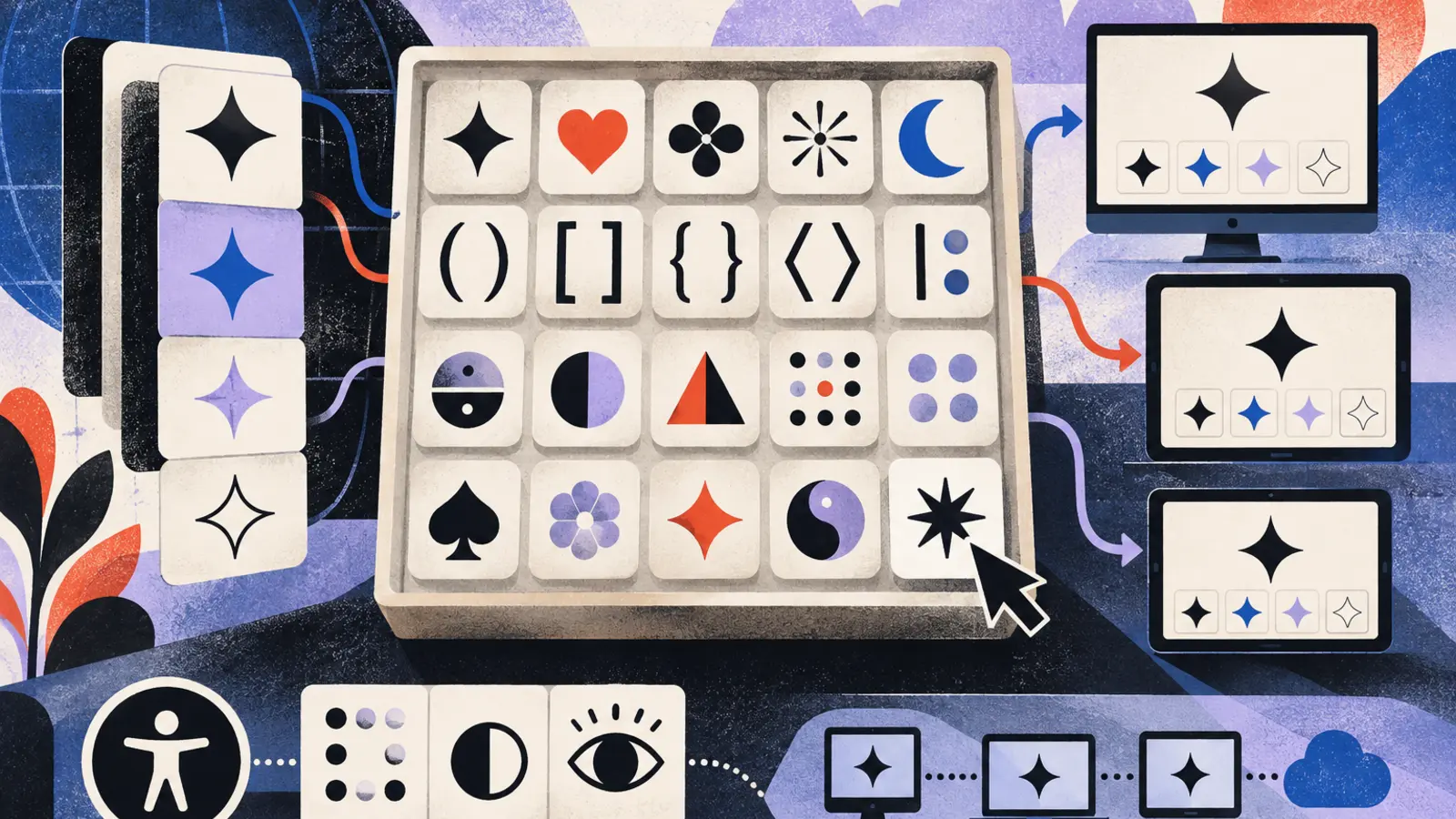
Symbols & Unicode
Lookup Unicode code points, copy typographic brackets, fractions, phonetic notations, and braille glyphs with system-compatibility references.
| Tool | Category | Description | Action |
|---|---|---|---|
|
Subscript Symbols
Browse and copy Unicode subscript characters (numbers, le...
|
Symbols & Unicode | Browse and copy Unicode subscript characters (numbers, letters, punctuation) for use in... | Open |
|
Subset Symbol
Reference and copy the set-theory subset symbols (proper ...
|
Symbols & Unicode | Reference and copy the set-theory subset symbols (proper subset, subset or equal, and r... | Open |
|
Summation Symbol
A copy-paste reference page for the summation symbol (∑),...
|
Symbols & Unicode | A copy-paste reference page for the summation symbol (∑), with a one-click copy button,... | Open |
|
Sun Symbol
Copy the sun symbol (☀) and related sun glyphs, plus thei...
|
Symbols & Unicode | Copy the sun symbol (☀) and related sun glyphs, plus their Unicode value, numeric HTML ... | Open |
| Symbols & Unicode | Open | ||
|
Superscript Symbols
Converts typed text to Unicode superscript characters and...
|
Symbols & Unicode | Converts typed text to Unicode superscript characters and provides a clickable symbol g... | Open |
|
Tau Symbol
Copy the Greek letter tau (Τ τ) and look up its Unicode c...
|
Symbols & Unicode | Copy the Greek letter tau (Τ τ) and look up its Unicode codepoint, HTML entity, LaTeX c... | Open |
|
Tech Emoji List
Browse and copy technology emojis: laptops, phones, robot...
|
Symbols & Unicode | Browse and copy technology emojis: laptops, phones, robots, gears, batteries, and more,... | Open |
|
Technical Symbols
Searchable reference of engineering and technical symbols...
|
Symbols & Unicode | Searchable reference of engineering and technical symbols (electrical, mechanical, math... | Open |
|
Text to Emoji Converter
Type a word or phrase and get matching emoji suggestions ...
|
Symbols & Unicode | Type a word or phrase and get matching emoji suggestions for each word, then build an e... | Open |
|
There Exists Symbol
Copy the there exists symbol (∃) and look up its Unicode ...
|
Symbols & Unicode | Copy the there exists symbol (∃) and look up its Unicode codepoint, HTML entity, LaTeX ... | Open |
|
Therefore Symbol
Copy the therefore symbol (∴) and look up its Unicode cod...
|
Symbols & Unicode | Copy the therefore symbol (∴) and look up its Unicode codepoint, HTML entity, LaTeX com... | Open |
|
Theta Symbol
Copy the Greek letter theta (Θ θ) and look up its Unicode...
|
Symbols & Unicode | Copy the Greek letter theta (Θ θ) and look up its Unicode codepoint, HTML entity, LaTeX... | Open |
|
Three Quarters Symbol
Copy the three quarters symbol (¾) and look up its Unicod...
|
Symbols & Unicode | Copy the three quarters symbol (¾) and look up its Unicode codepoint, HTML entity, deci... | Open |
|
Tilde Symbol
Copy the tilde symbol (~) and related forms (fullwidth, c...
|
Symbols & Unicode | Copy the tilde symbol (~) and related forms (fullwidth, combining, small), plus look up... | Open |
|
Trademark Symbol
Copy the trademark symbol (™) instantly. See its Unicode ...
|
Symbols & Unicode | Copy the trademark symbol (™) instantly. See its Unicode code point, HTML entity, CSS c... | Open |
|
Travel Emoji List
Browse and copy travel emoji: transportation, luggage and...
|
Symbols & Unicode | Browse and copy travel emoji: transportation, luggage and documents, destinations and n... | Open |
|
Two Thirds Symbol
Copy the two thirds symbol (⅔) and look up its Unicode co...
|
Symbols & Unicode | Copy the two thirds symbol (⅔) and look up its Unicode code point, HTML entity, decimal... | Open |
| Symbols & Unicode | Open | ||
|
Underscore Symbol
Copy the underscore symbol (_) and its fullwidth form, pl...
|
Symbols & Unicode | Copy the underscore symbol (_) and its fullwidth form, plus look up its Unicode codepoi... | Open |
| Symbols & Unicode | Open | ||
|
Union Symbol
A reference and copy-paste tool for the mathematical unio...
|
Symbols & Unicode | A reference and copy-paste tool for the mathematical union symbol (∪) showing the chara... | Open |
|
Up Arrow Symbol
Copy the upward arrow symbol (↑ and variants like ⇑ ▲) wi...
|
Symbols & Unicode | Copy the upward arrow symbol (↑ and variants like ⇑ ▲) with Unicode codepoints, HTML en... | Open |
|
Upside Down Text Generator
Flips entered text upside down using Unicode character ma...
|
Symbols & Unicode | Flips entered text upside down using Unicode character mappings, so it can be copied an... | Open |
|
Warning Symbol
Copy the warning sign symbol (a caution triangle) with Un...
|
Symbols & Unicode | Copy the warning sign symbol (a caution triangle) with Unicode codepoint, HTML entity, ... | Open |
|
Weather Emoji List
Browse and copy weather emoji: sun, clouds, rain, snow, s...
|
Symbols & Unicode | Browse and copy weather emoji: sun, clouds, rain, snow, storms, wind, and sky, each wit... | Open |
|
Weather Symbols
Copy-and-paste Unicode weather symbols with codepoints, p...
|
Symbols & Unicode | Copy-and-paste Unicode weather symbols with codepoints, plus a reference for weather ma... | Open |
| Symbols & Unicode | Open | ||
|
Wingdings Translator
Converts plain ASCII text to Wingdings font symbols and b...
|
Symbols & Unicode | Converts plain ASCII text to Wingdings font symbols and back, showing the Wingdings cha... | Open |
|
Won Symbol
Copy the Korean Won symbol (₩) and look up its Unicode va...
|
Symbols & Unicode | Copy the Korean Won symbol (₩) and look up its Unicode value, HTML entity, and keyboard... | Open |
|
Yen Symbol
Copy the yen symbol (¥) and look up its Unicode value, HT...
|
Symbols & Unicode | Copy the yen symbol (¥) and look up its Unicode value, HTML entity, Alt code, and keybo... | Open |
|
Yin Yang Symbol
Copy the yin yang symbol (☯) and see its Unicode value, H...
|
Symbols & Unicode | Copy the yin yang symbol (☯) and see its Unicode value, HTML entity, CSS content value,... | Open |
|
Zalgo Text Generator
Generates glitchy corrupted Zalgo text by adding random U...
|
Symbols & Unicode | Generates glitchy corrupted Zalgo text by adding random Unicode combining diacritical m... | Open |
|
Zodiac Symbols
Reference page displaying all 12 Western zodiac symbols w...
|
Symbols & Unicode | Reference page displaying all 12 Western zodiac symbols with their Unicode characters, ... | Open |
Unicode Glyphs, Typographic Entities, and Character-Set References
Symbols and Unicode tools provide searchable character references, one-click glyph copy utilities, and character encoding references for front-end software engineers, technical writers, typographers, content designers, and localization specialists. Navigating native operating system character palettes is often cumbersome and lacks critical metadata regarding character blocks, code points, HTML entity equivalents, and cross-platform rendering behavior. These tools provide instant access to structured character sets, enabling precise symbol integration into code bases, user interfaces, documentation, and digital publications.
Unicode serves as the universal encoding standard that assigns a distinct numeric identifier to virtually every character, punctuation mark, and technical symbol across human languages and computing disciplines. Understanding the technical architecture behind these characters ensures that digital text renders reliably across diverse devices, browsers, and operating systems without visual corruption or unexpected character substitutions.
Unicode Architecture, Hexadecimal Code Points, and Entity Encodings
Every glyph defined within the Unicode Consortium standard is mapped to an unambiguous hexadecimal index known as a code point, conventionally designated using the prefix U+ followed by four to six hexadecimal digits. For example:
- Copyright Symbol (©): Code point U+00A9
- Em Dash (—): Code point U+2014
- Greek Small Letter Pi (π): Code point U+03C0
- Check Mark (✓): Code point U+2713
Integrating these characters into software applications requires different syntax depending on the execution context. In HTML markup, a developer can declare a character using a named entity (such as ©), a decimal entity (©), or a hexadecimal entity (©). In CSS stylesheets, pseudo-element content requires escaped hexadecimal strings (e.g., content: "\2014";), while programming environments like JavaScript utilize Unicode escape notation (such as \u00A9 or the ES6 braced format \u{2014}). Using exact code-point references protects source text from encoding mismatch bugs when documents move through disparate compilation pipelines.
Structural, Mathematical, and Typographical Symbol Families
Technical publishing and interface engineering frequently demand precise typographical and structural characters that go far beyond standard ASCII keyboards. The Bracket Symbols reference aggregates functional enclosing characters, including floor and ceiling brackets (⌊ ⌋, ⌈ ⌉), double brackets (⟦ ⟧), angle brackets (⟨ ⟩), and ornate typographical braces. Using semantically correct mathematical brackets instead of makeshift ASCII combinations (such as << or [=) ensures formulas adhere to publication standards.
For layout designers, recipe creators, and financial analysts, formatting inline proportions cleanly is essential. The Fraction Symbols directory provides precomposed vulgar fractions, including standard halves, quarters, and eighths (½, ⅓, ¼, ⅝). Unlike improvised slash fractions (such as 1/2), precomposed Unicode fraction glyphs preserve consistent typographic baselines and vertical line-height metrics within running paragraph text.
Linguists, dictionary editors, and language software developers rely on the Phonetic Symbols library to retrieve accurate International Phonetic Alphabet (IPA) transcriptions, tone markers, and stress diacritics (such as ə, ʃ, ʒ, ŋ, θ), providing standard character references for digital pronunciation guides.
Specialized Character Blocks, Braille Cells, and UI Indicators
Interface development often requires standardized visual markers for status badges, rating indicators, and navigation cues. The Star Symbols suite provides scalable typographic stars, asterisks, and geometric shapes (such as ★, ☆, ✦, ✧, ✪), allowing developers to implement compact visual rating systems without loading external image assets or web font icon bundles.
For accessibility compliance and tactile layout verification, the Braille Symbols reference catalogs Grade 1 Braille cell patterns covering 26 letters, 10 digits, and 16 punctuation marks. There are 52 reference entries covering 26 letters, 10 digit entries that reuse the A-J cells, and 16 punctuation entries, with Open Quote and Close Quote sharing U+2836 (within the U+2800 block), providing educators and accessibility specialists with exact character mappings for digital braille transcription. For broader string manipulation, whitespace removal, and text formatting, explore our companion Text Tools.
Mathematical Alphanumeric Glyphs vs. True Font Styling
While text reflection utilities like the Mirror Text Generator perform horizontal flips via mirrored Latin characters, brackets, and arrows combined with character order reversal, visual styling generators substitute standard letters with characters from blocks like Mathematical Alphanumeric Symbols (U+1D400 through U+1D7FF). While these transformed characters appear reversed, bold, italic, or script on screen, users must understand the underlying technical distinction:
- Styling via CSS/Fonts: The underlying character remains a standard Latin letter (e.g., U+0041 for 'A'), while the display font alters its visual rendering. Assistive software reads the text normally.
- Styling via Unicode Substitution: The underlying character is replaced with an entirely different mathematical code point (e.g., U+1D400 for 'Mathematical Bold Capital A').
Screen-reading software for visually impaired users will pronounce mathematical alphanumeric characters literally (e.g., announcing "Mathematical Bold Capital A, Mathematical Bold Small b...") rather than pronouncing the word. Consequently, these transformed characters should never be used for essential interface copy, headings, or structural web content, and should remain restricted to casual decorative applications.
Symbol and Typography Tool Selection Guide
Identify the proper Unicode utility based on your publishing or software development objective:
- Technical Formula Formatting: When marking floor/ceiling operations, matrix enclosures, or formal mathematical groupings, navigate to Bracket Symbols.
- Compact Proportions and Recipes: When typesetting recipes, financial margin summaries, or dimensional engineering fractions on single baseline lines, use Fraction Symbols.
- Linguistic and Phonetic Transcription: When building language learning flashcards, pronouncing dictionary entries, or documenting phonology, select Phonetic Symbols.
- Tactile Display Mapping: When reviewing braille dot patterns or building transcription layouts for vision-impaired literacy devices, consult Braille Symbols.
- Vector Rating Badges: When implementing review stars, favorites markers, or clean UI accents without external font assets, use Star Symbols.
- Novelty and Display Heading Effects: When generating reversed or mirrored typography for casual social posts or decorative design treatments, use Mirror Text Generator.
Font Fallback, Input Validation, and Implementation Handoff
Implementing non-standard symbols requires verifying platform-level font compatibility and semantic integrity:
- Input Validation and Character Hygiene: It is recommended to validate that input text matches expected character encoding standards (such as UTF-8) before passing strings into databases or build scripts. When storing code-point data, verify that string lengths are evaluated based on Unicode scalar values rather than raw byte counts to prevent splitting surrogate pairs.
- Understanding Missing Glyphs and Tofu: Unicode assigns code points to abstract characters, not their visual designs. If an end user's active font lacks a vector outline for a specific code point, the rendering system falls back across system fonts. If no installed font contains the glyph, the system displays an empty rectangular box or question mark (colloquially called 'tofu'). Before deploying specialized phonetic or mathematical symbols, verify fallback font stacks across your target operating environments.
- Accessibility and Production Handoff: Never rely on decorative Mathematical Alphanumeric substitutions for headings, buttons, or navigation links, as screen readers cannot interpret them as standard natural language words. When passing copied symbols into HTML templates, consider using explicit HTML numeric entities (e.g., —) if source code files risk being saved under incompatible legacy charsets like ASCII or Windows-1252.